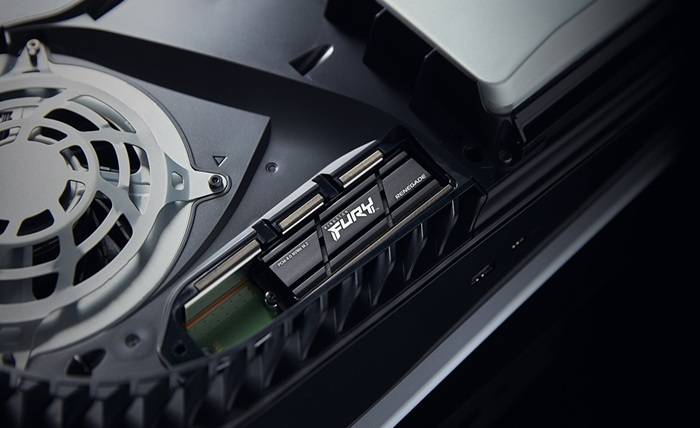
A ps5 external ssd has quickly become one of the most essential accessories for gamers who want smoother, faster, and more efficient gameplay. With modern titles demanding massive storage space and lightning-fast load times, relying solely on the built-in console storage can feel limiting.
That’s where an external SSD comes in, offering benefits like quicker game transfers, reduced load times, and the freedom to store more titles without compromise. In this article, we’ll explore the top benefits of using a PS5 external SSD for gaming and why it’s a smart investment for every PlayStation 5 owner.
What Is a PS5 External SSD?
A PS5 external SSD is a portable storage device that connects via USB, allowing you to expand your storage for more games, apps, and media.
Key Features
- Extra Storage: Provides additional space for games and media, helping expand the PS5’s limited internal storage.
- Fast Speeds: Transfers data much faster than traditional external hard drives, making game installs and file transfers quicker.
- Portable: Lightweight and compact, easy to carry and connect to any PS5.
- Plug-and-Play: You can use the SSD immediately by connecting it to the PS5 via USB. No additional software or setup is required.
How You Can Use It
- Play PS4 Games: Run PS4 games directly from the external SSD, freeing up internal space.
- Store PS5 Games: Save PS5 games on the SSD, but you’ll need to move them back to internal storage to play.
- Store Media: Keep videos, screenshots, and other game files.
Limitations
- Cannot Play PS5 Games Directly: PS5 titles require the internal SSD or a compatible M.2 SSD.
- Compatibility Matters: Make sure the SSD supports USB 3.0 or higher to work with the PS5.
A PS5 external SSD is a smart way to expand your console’s storage, organize your game library, and improve your overall gaming experience.
Top Benefits of Using a PS5 External SSD
Adding an external SSD to your PS5 can greatly improve your gaming experience. It helps you play faster, store more, and manage your games more easily. Here are the main benefits:
Benefits 1: Faster Load Times
Using an SSD instead of a traditional hard drive (HDD) greatly improves loading speeds on the PS5. Games start up faster, levels load more quickly, and in-game transitions feel smoother. This means you spend less time waiting and more time playing, resulting in a faster, more seamless, and immersive gaming experience.
Benefits 2: More Storage Space
An external SSD provides extra room to store your games, updates, and media files, so you don’t have to delete old titles to make space for new ones. It also helps you keep your game library organized, allowing you to store all your favorite games in one convenient place and access them quickly whenever you want.
Benefits 3: Easy Game Transfers
An external SSD makes moving games between your PS5’s internal storage and the external drive quick and easy. This helps you free up space on your console without losing any of your games. Although PS5 games can’t be played directly from an external SSD, you can safely store them there and transfer them back to the internal drive whenever you want to play. This gives you a simple and flexible way to manage your storage.
Benefits 4: Better Game Management
An external SSD helps you organize your games more efficiently. You can keep your most frequently played games on the PS5’s internal SSD for the best performance, while moving older or less-played titles to the external SSD. The PS5’s storage settings make it easy to move games between drives whenever you want, giving you a simple and convenient way to manage your game library.
Benefits 5: Enhanced PS4 Game Performance
When playing PS4 games through backward compatibility, an external SSD can make a big difference. Games load much faster and run more smoothly compared to using a traditional hard drive. You’ll notice shorter load times, fewer performance issues, and a more stable, enjoyable gameplay experience overall.
Benefits 6: Stronger and More Portable
SSDs are built to be more durable than traditional hard drives since they have no moving parts, making them less likely to be damaged by drops or shocks. Their compact and lightweight design also makes them easy to carry around, which is perfect for gamers who like to play at different locations or take their game library on the go.
Benefits 7: Energy Efficient and Quiet
SSDs consume less power than traditional hard drives, helping your PS5 run more efficiently and with less strain. Since they have no moving parts, SSDs operate silently, providing a quieter and more comfortable gaming experience without the noise of spinning disks.
How to Set Up and Use a PS5 External SSD
Setting up an external SSD for your PS5 is quick and easy. Follow these simple steps to get started:
- Connect the SSD to the PS5 (Rear USB Port)
Connect your SSD to a rear USB 3.2 Gen2 or higher port on the PS5 for optimal speed and performance. Front ports may not support full SSD bandwidth.
- Open the Storage Settings
- From the PS5 home screen, go to the top-right corner and select the gear icon to open the Settings menu.
- In the Settings menu, scroll down and select Storage.
- Then, choose USB Extended Storage to manage your connected external drives.
- Format the SSD for PS5 Use
Select the connected SSD on your PS5 and format it for PS5 use. Formatting will erase all data, so back up important files first. Follow the prompts, and the PS5 will quickly prepare the SSD for storing games and media.
- Verify the SSD Setup
After formatting, go to Settings → Storage → USB Extended Storage to confirm that your SSD is ready to use. You’ll see the available space displayed, and the drive can now be used to store and play PS4 games, store PS5 games for later transfer, and save media files such as videos, screenshots, and clips.
You can enjoy faster load times, more storage space, and smoother performance while keeping your game library organized and easily accessible.
Recommended External SSDs for PS5 Gaming
Expanding your PS5 storage with an external SSD can boost game load times and overall performance. ADATA offers several options optimized for gaming, with fast speeds, durability, and efficient heat management.
ADATA SC750 External SSD
- Speed: Read/write up to 1,050/1,000 MB/s.
- Design: Lightweight and portable, ideal for mobile use.
- Use: Great for quickly storing and transferring large game files.
- Compatibility: Works seamlessly with PS5 and other modern gaming consoles.
ADATA SE920 External SSD
- Speed: Ultra-fast read/write speeds of 3,800/3,700 MB/s with USB4 40Gbps Type-C.
- Cooling: Built-in micro fan ensures efficient heat dissipation during long gaming sessions.
- Use: Perfect for gamers who want high-speed performance and uninterrupted gameplay.
Explore ADATA’s external SSD lineup to find the best fit for your PS5. Whether you need speed, durability, or cooling features, these SSDs can enhance your gaming experience.